
How to Create Custom QR Labels for Storage Boxes
Keeping storage boxes organized can be surprisingly difficult. Whether you’re storing holiday decorations, office supplies, family keepsakes, or preparing for a move, it’s easy to forget what’s inside each box. Traditional handwritten labels may tell you the room or category, but they rarely provide enough detail to quickly locate a specific item.
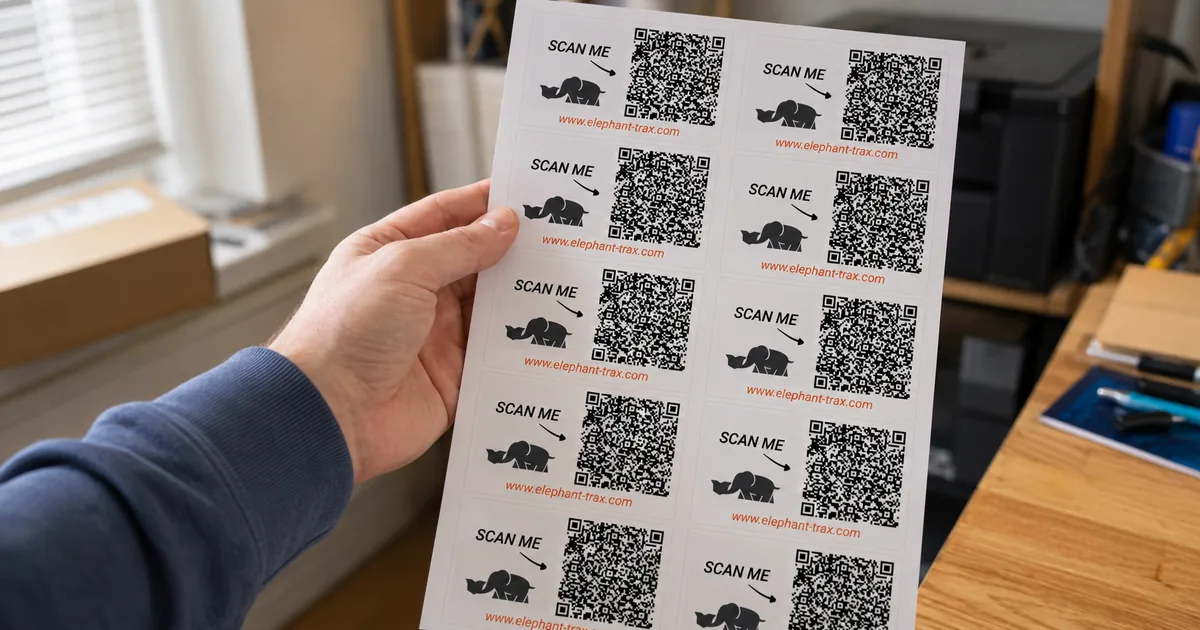
That’s why many homeowners are switching to custom QR Labels for storage. By combining physical labels with a digital inventory, QR labels make every storage box searchable. Instead of opening multiple containers, you simply scan a label with your smartphone to view the complete contents.
This guide explains how to create custom QR Labels for storage, why they work better than traditional labels, and how a solution like Elephant Trax can help simplify home organization.
Why Traditional Box Labels Aren’t Enough
Most storage boxes are labeled with simple descriptions such as:
- Kitchen
- Garage
- Bedroom
- Holiday Decorations
Although these labels provide a general idea of the contents, they don’t answer important questions.
For example:
- Which box contains the extension cords?
- Where are the winter gloves?
- Which container has the photo albums?
- Where did you pack the spare phone charger?
Without detailed information, you may end up opening several boxes before finding what you need.
What Are Custom QR Labels?
Custom QR Labels for storage are unique QR codes assigned to individual storage boxes. Each QR code links to a digital inventory where you can record detailed information about everything inside that box.
After scanning the label, you can instantly view:
- Item names
- Photos
- Categories
- Notes
- Storage locations
- Quantity of items
This creates a smarter storage system that’s easy to search and maintain.
Benefits of Using QR Labels
Switching to QR Labels offers several advantages over traditional handwritten labels.
Find Items Instantly
Instead of searching through multiple boxes, simply scan the QR code or search your digital inventory to locate the item you need.
Reduce Household Clutter
A searchable inventory helps you remember what you already own, reducing unnecessary duplicate purchases and keeping storage areas tidy.
Save Time During Moving
QR labels simplify packing and unpacking by allowing you to see exactly what’s inside every moving box before opening it.
Keep Storage Organized Long-Term
Because inventory details are stored digitally, you can update box contents whenever they change without replacing the physical label.
Step 1: Decide What You Want to Track
Before creating your labels, think about which items you’ll include in your inventory.
Popular categories include:
Seasonal Decorations
Christmas ornaments, Halloween decorations, outdoor lights, wreaths, and wrapping supplies.
Garage Storage
Power tools, hand tools, automotive supplies, gardening equipment, and hardware.
Kitchen Supplies
Small appliances, serving dishes, cookware, baking tools, and pantry accessories.
Home Office
Documents, electronics, chargers, printers, cables, and stationery.
Family Keepsakes
Photo albums, important paperwork, collectibles, and memorabilia.
Creating categories first makes inventory management much easier.
Step 2: Create Your Digital Inventory
The next step is building a digital record for every storage box.
Include useful details such as:
- Box name
- Item descriptions
- Photos
- Room location
- Category
- Special notes
Adding photos can make identifying belongings even faster.
Step 3: Create Custom QR Labels for Storage
Once your inventory is ready, assign a unique QR code to each storage box.
Each QR code becomes the digital identity of that container.
Unlike handwritten labels, QR codes don’t need long descriptions because the detailed information is stored electronically.
This keeps storage boxes neat while giving you instant access to complete inventory records.
Step 4: Attach QR Labels Securely
Choose a visible location on each storage box where the QR label can be scanned easily.
For best results:
- Place labels on the front of storage bins.
- Keep labels flat and wrinkle-free.
- Avoid covering QR codes with packing tape.
- Make sure labels remain visible when bins are stacked.
Proper placement makes scanning quicker and more reliable.
Step 5: Update Inventory When Needed
Storage changes over time.
Whenever you:
- Add new items
- Remove belongings
- Donate unused objects
- Rearrange storage
Update your inventory to keep everything accurate.
Because the QR label remains the same, you only need to edit the digital record instead of creating a new label.
Organize Storage Boxes by Category
An organized inventory works best when similar items stay together.
Examples include:
Holiday Storage
Separate ornaments, lights, gift wrapping supplies, and outdoor decorations.
Garage Organization
Store electrical tools, gardening supplies, and automotive equipment in dedicated containers.
Children’s Items
Organize toys, books, school supplies, and seasonal clothing separately.
Emergency Supplies
Keep first aid kits, batteries, flashlights, and emergency equipment together.
Using clear categories makes searching much faster.
QR Codes and Labels Make Searching Simple
One of the biggest advantages of using QR Codes and Labels is the ability to search for individual items.
Instead of remembering which box contains your camping lantern or holiday lights, simply search your inventory.
The system immediately identifies the correct storage box.
This saves time and eliminates the frustration of opening multiple containers.
Best Practices for QR Label Organization
To get the most from your storage system:
Label Every Box
Assign every storage container its own unique QR label.
Use Consistent Categories
Simple naming conventions make inventory easier to manage.
Add Photos
Pictures help identify items quickly.
Review Inventory Regularly
Update your inventory every few months to remove outdated information.
Store Similar Items Together
Avoid mixing unrelated belongings whenever possible.
Why Homeowners Are Choosing QR Labels
As homes become more organized through digital tools, more people are replacing handwritten labels with QR-based inventory systems.
QR labels offer greater flexibility because they allow inventory information to grow without making storage boxes cluttered with writing.
Whether you’re organizing a few plastic bins or an entire garage, QR technology provides a faster and more reliable way to manage your belongings.
Why Elephant Trax Is a Smart Choice
If you’re looking for an easy way to create and manage custom QR Labels for storage, Elephant Trax offers a complete solution. The platform combines durable QR Labels with an intuitive mobile app, allowing you to build a searchable home inventory for storage boxes, moving boxes, garage tools, seasonal decorations, office supplies, and more.
With Elephant Trax, you can assign unique QR codes to each box, upload photos, organize items into categories, and update inventory whenever your storage changes. A quick scan gives you instant access to detailed box contents, helping you stay organized while saving time.
Final Thoughts
Creating custom QR Labels for storage is one of the simplest ways to improve home organization. Instead of relying on handwritten notes or memory, QR Codes and Labels provide instant access to detailed inventory records that make finding stored items fast and stress-free.
Whether you’re organizing your garage, attic, basement, or preparing for your next move, a QR-based inventory system can reduce clutter, improve efficiency, and help you keep track of everything you own. With the right tools and a consistent organization strategy, you’ll spend less time searching and more time enjoying an organized home.

